Skip to content
Zync
GitHubDownload

Download Zync

Get Zync. The SSH client your servers deserve.

Your terminals, files, and SSH connections. Together in one desktop workspace, on the system you already use.

  • MIT licensed
  • No account required
  • Stored locally
  • No subscription limits
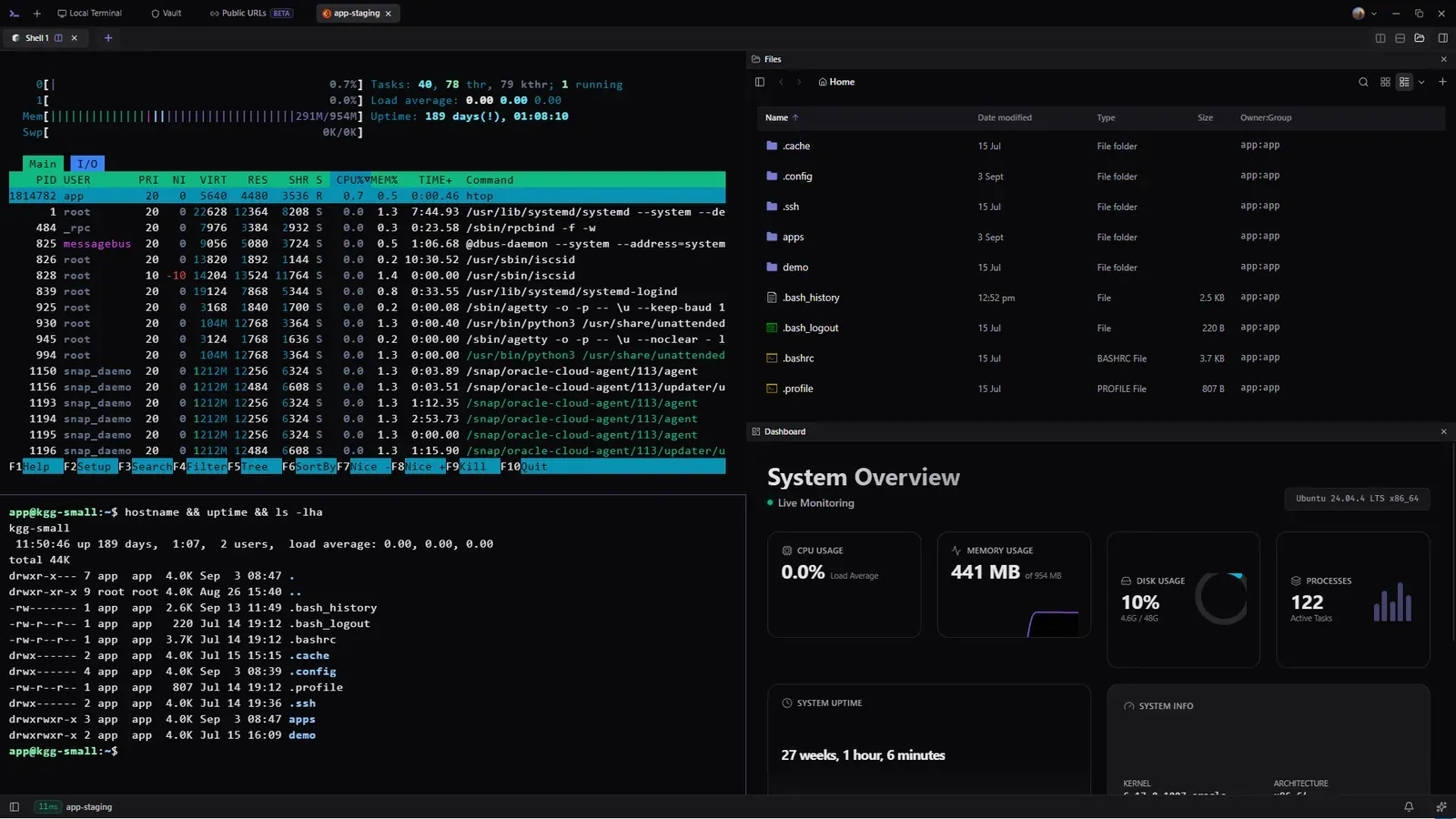
Zync desktop workspace with terminals and files
One workspace. Local and remote.

Latest releasev2.32.1

Release notes

Choose your operating system

Linux

x86_64 · Script or package

The script fetches the newest AppImage from GitHub, installs it without sudo, and adds Zync to your application launcher.

Install script
curl -fsSL https://zync.thesudoer.in/install.sh | sh

Paste into your terminal to install.

No sudo needed · Installs in your home directory Read install.sh
Prefer a direct download? Download AppImage All release files

First launch

A little help getting started.

Choose how you install. Find everything you need for the first launch below.

Installation guide
Linux install

The script fetches the newest AppImage from GitHub, installs it without sudo, and adds Zync to your application launcher.

  1. Check the machineThe script confirms the supported x86_64 architecture before downloading anything.
  2. Fetch from GitHubIt resolves the latest release and downloads the published AppImage directly.
  3. Install locallyZync is placed in ~/.local/share/zync and linked as ~/.local/bin/zync.
  4. Add the launcherA desktop entry and application icon are registered for your user account.
Windows SmartScreen

If Windows shows "Windows protected your PC", choose More info, then Run anyway. Download only from the official zync-sh/zync Releases page.

Full installation guide
macOS Gatekeeper

If macOS blocks the first launch, right-click Zync in Applications and choose Open, or use Open Anyway in Privacy and Security.

Full installation guide

Install help

Before you download.

Answers about accounts, release files, the Linux installer, and supported desktop systems.

Does Zync require an account?

No. Install the desktop app and use local terminals or SSH without an account. Google Drive sync and Public URLs have separate optional sign-in flows.

Where do the installers come from?

The download buttons point directly to files published on GitHub Releases in the open source zync-sh/zync repository.

What does the Linux script install?

It installs the latest AppImage in your home directory, adds a zync command under ~/.local/bin, and creates a desktop launcher. It does not require sudo.

Is there an iOS or Android version?

No. Zync is a desktop application for Linux, Windows, and macOS.

Read the installation guide