Start without the signup
Free to use. Ready when you are.
Open a local terminal or connect over SSH without creating an account or paying for a desktop subscription.
Unlike ‘100% free’ that becomes ‘please upgrade’ after 30 days.
Get ZyncStart in your local shell. Connect over SSH. Work with terminals, remote files, and port forwarding in one native desktop app.
 Linux
Linux Windows
 macOS
macOS
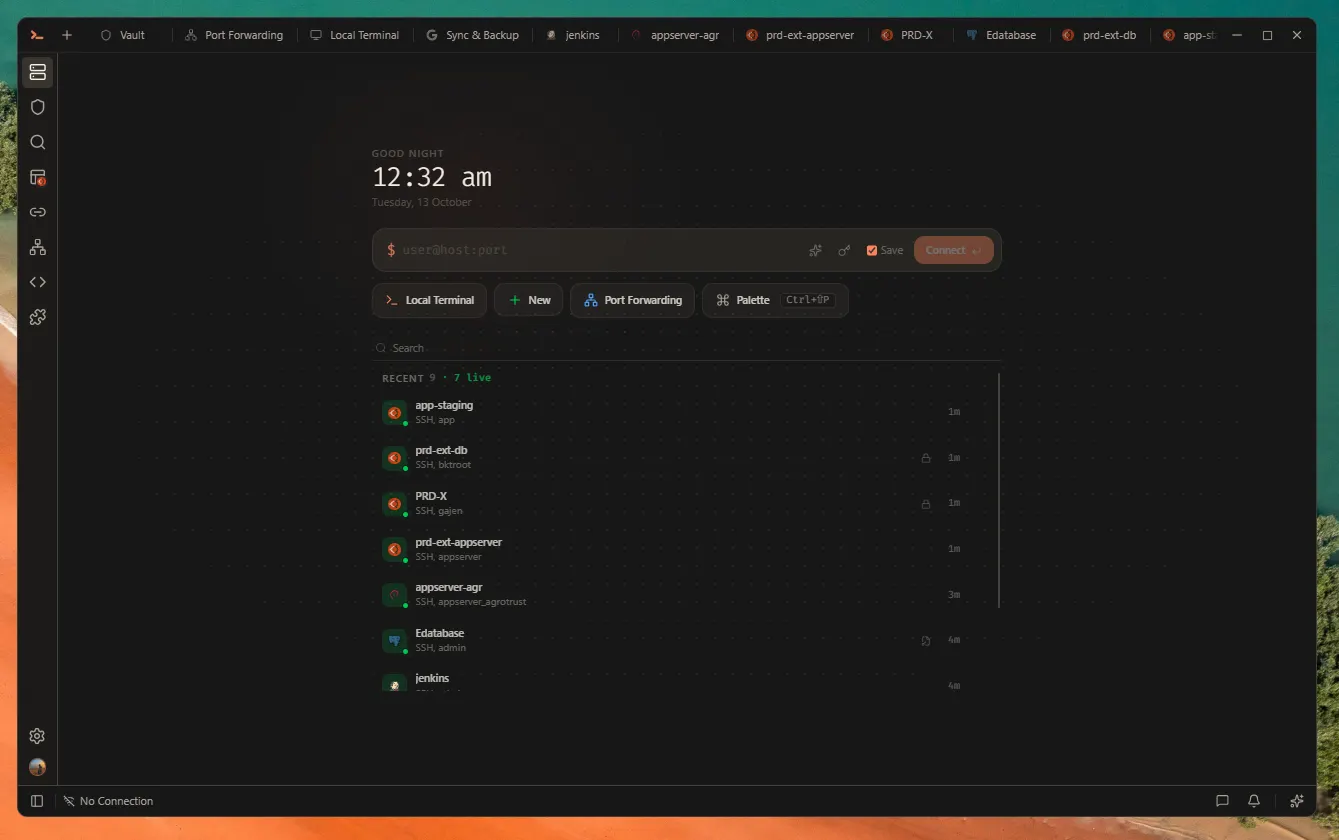
A desktop workspace for local terminals, SSH connections, files, and tunnels. Start on your machine, then connect to your servers.
Why Zync
Less switching between tools. More control over how you work.
Start without the signup
Open a local terminal or connect over SSH without creating an account or paying for a desktop subscription.
Unlike ‘100% free’ that becomes ‘please upgrade’ after 30 days.
Get Zync01 Stay in your flow
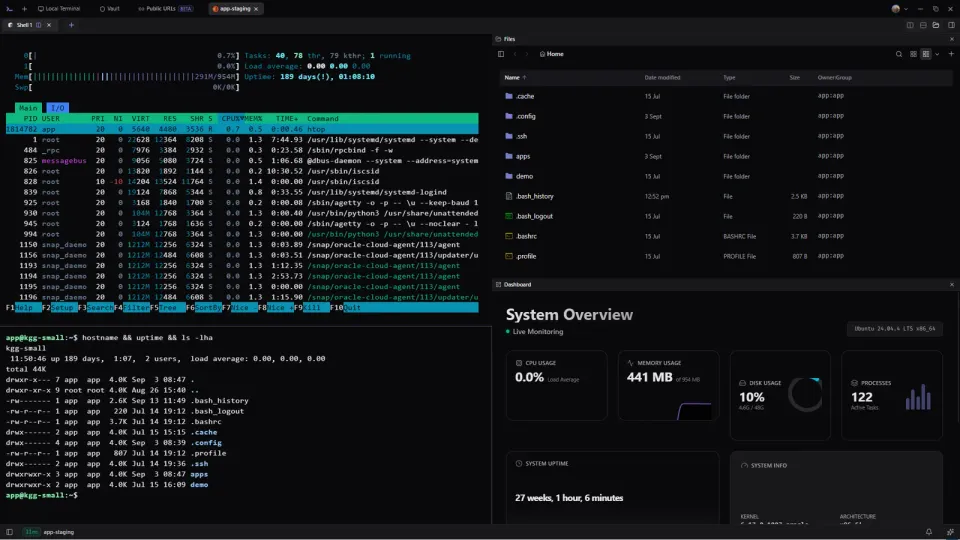
Arrange terminals, files, and server information side by side. Keep the context of your connection while you work.
Explore your workspace02 Start with what you have
Bring your SSH configuration and key files. Choose the encrypted vault when you want it.
See connection options03 Local comes first
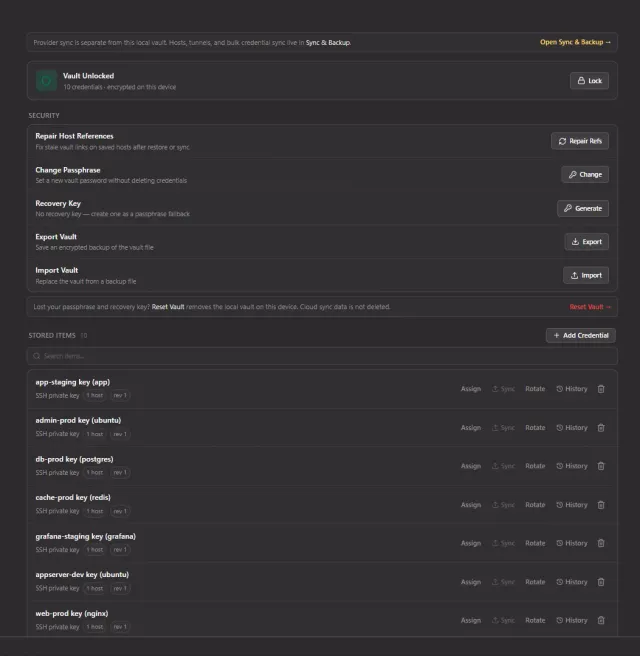
Store SSH passwords and private keys in the optional encrypted Local Vault. Zync does not host your SSH credentials. Existing key files still work.
Explore the vaultYour data
See what stays on your device and what happens when you choose backup.
Local by default
Hosts, tunnels, snippets, settings, and session state are stored in your local Zync data folder.
Optional · on-device
The optional Local Vault encrypts stored credentials on your device. You control its passphrase and recovery key.
Existing SSH key files still work.
Explore the vaultEncrypted before upload
You choose whenOptional encrypted backup
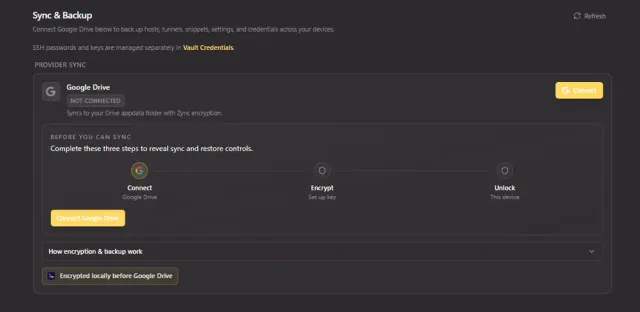
Selected data is encrypted before upload to your Google Drive. Uploads and restores are manual.
Zync does not host a copy of your backup.
Understand backupCapabilities
Terminals, files, tunnels and host audits. One desktop workspace.
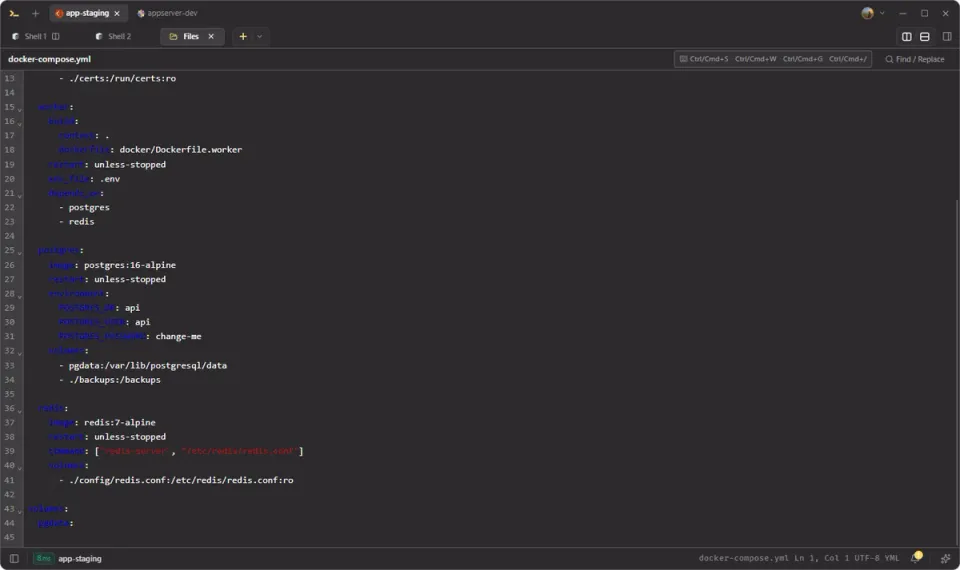
Split a host across terminal, Files, and Dashboard without leaving the session.
02 · Connect
Local, remote, and SOCKS tunnels. No hand-edited ssh flags.
Local
Remote
SOCKS
03 · Files & SFTP
Browse local and remote files, transfer them, and edit them from the same workspace.
Edit local or remote files in the same workspace.
04 · Vault
SSH passwords and keys can stay in an on-device encrypted vault.
Optional · Sync & backup
Optional Google Drive backup, encrypted on this device first.
Daily SSH tools
Compact previews for everyday SSH work.
Local-first
Keep hosts, settings, and your optional vault on your machine.
Terminal
Use local shells and SSH sessions with ghost suggestions and session restore.
Dashboard
Inspect CPU, memory, and disk usage for the connected host.
AI command bar
Ctrl+IGenerate a shell command with Ollama or your own provider API key. Review it before running.
Snippets
Save reusable commands globally or for an individual host, then send them to the terminal.
Keyboard shortcuts
Switch tabs, focus panes, and open workspace tools from your keyboard.
Plugins
Add themes, icon packs, and editor providers through the plugin system.
Pro editor
Edit local and remote files with syntax highlighting, search, and completion.
Native speed
A Tauri desktop app with a Rust backend and GPU terminal rendering where supported.
Security hardening audit
Run selected Linux checks over SSH. Review evidence, compare assessments and keep reports on your device. No account required.
Explore hardening auditsAlternatives
Not every SSH client is built around the same idea. Some put the IDE first. Some put managed access first. Zync puts the entire workspace on your machine.
02 / Local-first
Terminal, files, tunnels, vault, and workspace on your desktop.
TerminalFilesTunnelsVault
03 / Windows toolbox
Terminal, X11, SFTP, and networking tools for Windows.
04 / Managed SSH
SSH across devices with managed sync and collaboration features.
Side by side
Four tools can connect you to a remote machine. What changes is what they put around that connection.
| Detail | ZyncLocal-first SSH workspace | VS Code RemoteIDE remote development |
|---|---|---|
| Workspace | ||
| Best fit | Day-to-day SSH work in one local-first desktop app | Editing, building, and debugging on a remote host |
| Workspace | Hosts, terminals, files, tunnels, and vault together | Remote editor window with terminal and extensions |
| Files / SFTP | Local files, SFTP, Places, in-app editing | Remote explorer inside the IDE |
| Port forwarding | Local, remote, and SOCKS. Public URLs is separate. | Forwarded ports for remote sessions |
| Credentials & Sync | ||
| Credentials | Optional on-device vault, or local key files | Keys, agent, and host auth you configure |
| Sync | Optional manual encrypted backup to your Google Drive | Manage SSH config separately from editor Settings Sync |
| Cost & Platforms | ||
| Platforms | Linux, Windows, macOS | Linux, Windows, macOS; remote host requirements apply |
| License | FSL-1.1-ALv2; Apache 2.0 after two years | Microsoft license. Remote extensions are not OSS. |
| Pricing | Free. No subscription limits. | Free with VS Code and Remote SSH |
| Detail | ZyncLocal-first SSH workspace | MobaXtermWindows terminal toolbox |
|---|---|---|
| Workspace | ||
| Best fit | Day-to-day SSH work in one local-first desktop app | Windows terminal, X11, and network tools |
| Workspace | Hosts, terminals, files, tunnels, and vault together | Tabbed terminal with X11 and embedded tools |
| Files / SFTP | Local files, SFTP, Places, in-app editing | Graphical SFTP beside sessions |
| Port forwarding | Local, remote, and SOCKS. Public URLs is separate. | Graphical SSH tunnels manager |
| Credentials & Sync | ||
| Credentials | Optional on-device vault, or local key files | Passwords behind a master password |
| Sync | Optional manual encrypted backup to your Google Drive | Saved sessions; see vendor documentation for sharing options |
| Cost & Platforms | ||
| Platforms | Linux, Windows, macOS | Windows |
| License | FSL-1.1-ALv2; Apache 2.0 after two years | Proprietary Home and Professional |
| Pricing | Free. No subscription limits. | Free Home: 12 sessions, 2 SSH tunnels; paid Professional |
| Detail | ZyncLocal-first SSH workspace | TermiusManaged cross-device SSH |
|---|---|---|
| Workspace | ||
| Best fit | Day-to-day SSH work in one local-first desktop app | Managed SSH across desktop and mobile |
| Workspace | Hosts, terminals, files, tunnels, and vault together | SSH client with vaults, groups, and snippets |
| Files / SFTP | Local files, SFTP, Places, in-app editing | Built-in SFTP client |
| Port forwarding | Local, remote, and SOCKS. Public URLs is separate. | Port forwarding in the SSH client |
| Credentials & Sync | ||
| Credentials | Optional on-device vault, or local key files | Local vault on Starter. Cloud vaults on paid plans. |
| Sync | Optional manual encrypted backup to your Google Drive | Paid plans sync desktop and mobile |
| Cost & Platforms | ||
| Platforms | Linux, Windows, macOS | Linux, Windows, macOS, iOS, Android |
| License | FSL-1.1-ALv2; Apache 2.0 after two years | Proprietary |
| Pricing | Free. No subscription limits. | Free Starter, paid individual and team plans |
Customization
12 built-in themes for the app shell and terminal. Add community packs from the marketplace.
Choose a workspace theme
Install
Connect to your server. Bring your terminal, files, and tools into one workspace.
 LinuxWindowsmacOS
Support
The essentials before your first connection.
Yes. Zync is free to use, with no subscription-gated features. Desktop source is available under FSL-1.1-ALv2.
Zync is a strong fit if you want a free desktop SSH client with terminals, SFTP, tunnels, snippets, and an encrypted local vault in one app. Its source is available under FSL-1.1-ALv2, and local terminals or SSH connections do not require an account.
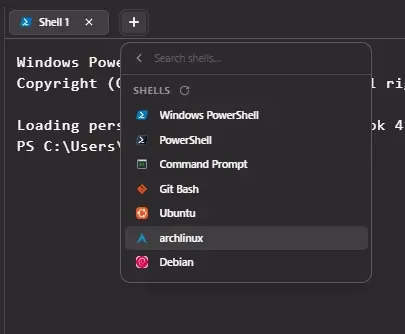
No. Zync runs natively. WSL is optional. PowerShell, Command Prompt, and Git Bash work out of the box.
Native binaries for Windows 10/11, macOS (Intel and Apple Silicon), and major Linux distributions.
Security hardening audit reviews selected Linux host and application settings over SSH after your approval. It shows evidence and guidance without applying changes. Sudo is optional for protected checks, reports can be saved locally, and no Zync account or scanner installation is required.
Yes, for developers who want a local-first desktop SSH workspace instead of a managed cross-device SSH service. Zync is desktop only, its source uses FSL-1.1-ALv2, and credentials stay on-device unless you choose optional encrypted backup.
MobaXterm is a Windows-focused terminal toolbox. Zync runs on Linux, Windows, and macOS, and focuses on a local-first workspace with terminals, SFTP files, SSH tunnels, vault, sync, plugins, and themes.
Zync is an SSH client and desktop workspace, not an incident, observability, or control-plane platform. It can sit beside those tools when you need hands-on terminal, file, tunnel, and credential workflows.
Yes. Configure jump hosts in connection settings. Zync follows the jump chain.
Yes. Themes, editor providers, and extensions. Browse the marketplace or see zync-plugin-registry on GitHub.
Passwords and keys can live in an on-device vault. Hosts, tunnels, and settings stay on your machine. Optional sync encrypts records to your Google Drive before upload. No Zync account is required.
An encrypted on-device store for SSH passwords and private keys. Unlock with a passphrase. A recovery key can be saved offline.
Encrypted records go to your Google Drive (drive.appdata). Zync does not keep a copy on its servers. Sync is optional.
Public URLs (Beta) shares a localhost port with an HTTPS link. It is not SSH port forwarding. Sign in with GitHub or Google (a Zync share account, not Drive Sync).